



Plan production with explitia.Orders
Production Order Under Full Control
Production starts with a decision: what to produce, how much, and in what sequence. When a production order is unclear or poorly prioritized, the effects are immediate: downtime, rushed decisions on the shop floor, delayed shipments.
explitia.Orders software brings structure to this process. It’s a program for production orders that aids you with order planning, distribution to workstations, and real-time execution control. Planners gain operational control. Operators receive clear instructions. Management works with current data.
One system, one plan, one source of truth!
Connect planners, operators, and data from higher-level systems in one environment that supports smooth production order execution. Explore explitia.Orders today!
What You Gain with explitia.Orders
 Full control over every production order at each stage
 Structured order planning with flexible priority management
 Automatic distribution of production orders to the shop floor
 Real-time visibility of produced quantities and NOK units
 Better use of machines, materials, and working time
 Data consistency between ERP, warehouse and production
 Full history of status changes and complete traceability
Production order management becomes measurable and predictable.

How the Production Order Module Works?
The module extends the MES production process and can operate either as an integrated part of the system or as an independent component focused strictly on production order management.
Each production order has a unique code and is linked to a specific product, which enables precise tracking of production progress and quality in relation to a specific order.
1. Production Order Creation
Production orders can be created:
- manually by authorized users (planners, shift leaders),
- automatically through ERP integration,
- based on data from another system or structured files.
The only requirement is a reliable data source. explitia.Orders can receive production orders from ERP or serve as the primary system generating them.
2. Production Order Structure
Each production order is divided into operations aligned with the technological production flow.
Operations include:
- planned quantity,
- planned start and end dates,
- assignment to machines, products, or operators.
Order planning is therefore based on real process stages.
3. Priority Management
In practice, priorities are set on different levels:
- the technician defines the hierarchy of tasks,
- the planner manages the production order queue,
- the operator may adjust the sequence according to current shop-floor conditions.
Each production order can be assigned a priority value that organizes workstation lists.
4. Administrative and Execution Areas
The module comprises two areas:
Administrative area (planner)
- managing production orders,
- assigning them to machines and operators,
- adjusting execution timing,
- changing priorities,
- pausing and editing in real time.
The planner sees the whole picture and can react immediately without phone calls or paper-based communication on the shop floor.
Execution area (operator)
The operator:
- starts and completes an operation with one click,
- pauses the order if needed,
- reports production,
- records process parameters.
Information updates instantly.
5. Status and Audit Trail
Each production order has a defined status: planned, in progress, paused, completed.
Status can change automatically (for example, when the first unit is registered) or manually. All changes are recorded as system events, for easy traceability.
6. Production Registration and Quality Control
Each operation maintains a production counter and a separate NOK counter.
Production progress equals total registered units minus rejected units. Order planning therefore relies on your plant’s production data.
Order Planning in Practice
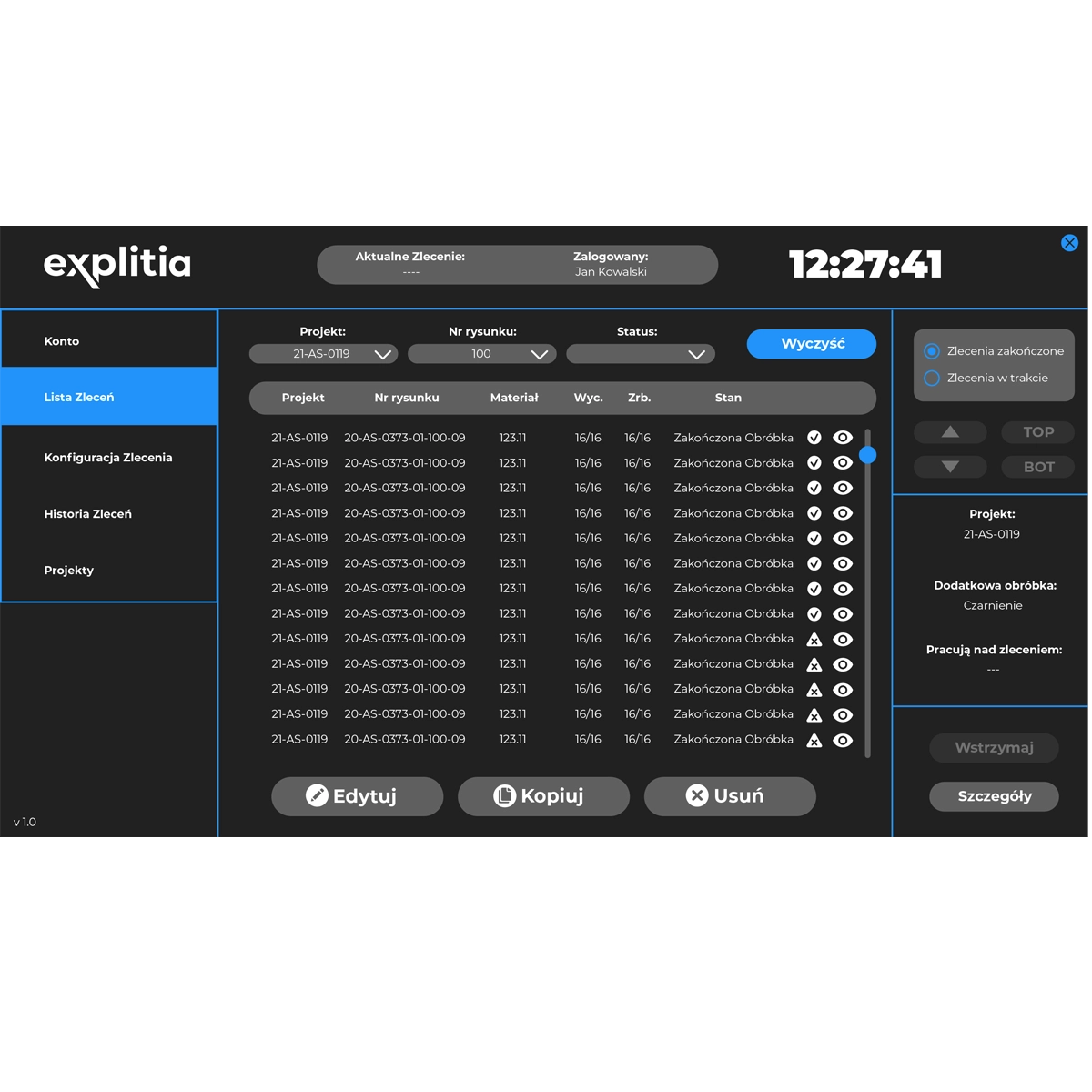

Automatic distribution of production orders
The module automatically distributes information about new and updated production orders to the relevant areas of the process.
This gives operators and responsible teams access to current data without manual communication.

Real-time editing and pausing
The system enables ongoing editing of production orders and temporary pausing depending on the current shop-floor situation.
This helps teams react faster to operational changes and adapt execution to current conditions.
Immediate insight into production progress
Users gain instant visibility into the status and progress of each production order.
This supports faster assessment of the situation and more efficient decision-making in both planning and production.

Flexible priority management
The module allows dynamic changes of production order priorities depending on production needs, deadlines, or resource availability.
This keeps the plan aligned with the changing situation in the manufacturing plant.
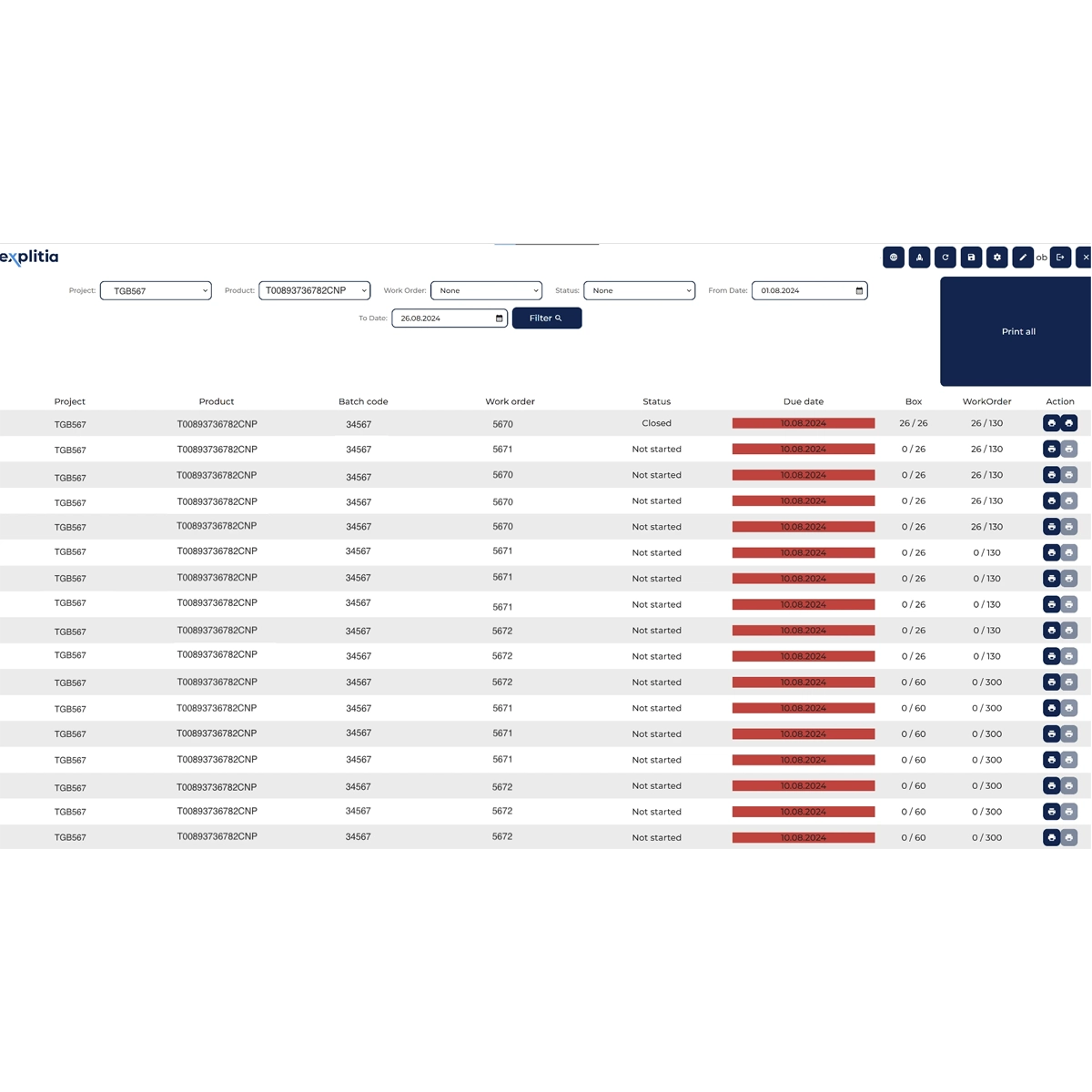
Communication with warehouse systems
With additional implementation of ERP integration, the system supports information flow between planning and warehouse processes.
This makes it easier to synchronize materials and production orders and reduce delays caused by missing materials or incomplete component availability.

Access to current and archived data
The module provides access to both current information about active production orders and archived data.
This makes it possible to analyze execution history, compare performance, and plan subsequent actions more effectively.
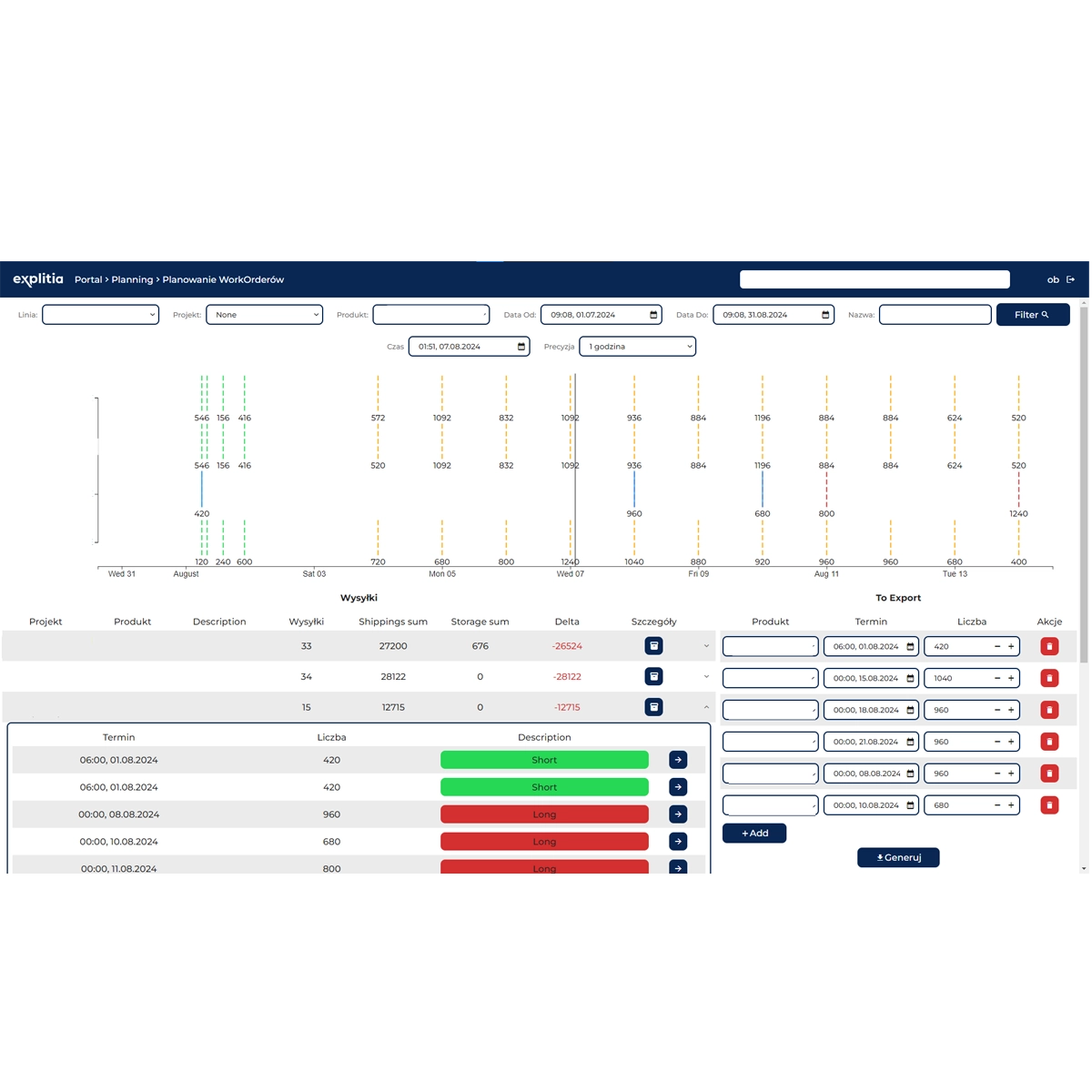
Production order planning based on shop-floor reality
Production order planning is not detached from shop-floor reality. The system reflects material availability, machine capacity, and live production data.
This makes the plan more realistic, measurable, and easier to execute.

Your production under control!
Manage production orders with explitia.Orders from creation to completion, with a full audit trail of changes and access to historical data. Contact us and discover all possibilities today.
Who Is explitia.Orders For?
The module is designed for manufacturing companies that:
- run multiple production orders simultaneously,
- need structured order planning between planning and shop floor,
- rely on manual or fragmented systems,
- require real-time visibility of each production order,
- want ERP, warehouse, and production connected in one workflow.
How the Module Fits Into the Sales Process?
A production order is often generated after confirmation of a customer order in ERP.
With explitia.Orders:
| ERP creates the production order |
| The planner schedules and assigns it |
| The operator executes and reports production |
| Data flows back to higher-level systems |
This improves delivery reliability and reduces manual errors.
Integration with Other Modules
explitia.Orders works best when connected with:
MES production modules
Connection with MES modules makes it possible to link production orders with the actual production process and real-time reporting of operations on the shop floor.
More
OEE analysis
Integration with OEE analysis enables evaluation of order execution in the context of availability, efficiency, and process quality.
More
Energy monitoring
Connection with the energy module makes it possible to analyze order execution also in terms of utilities consumption and energy costs.
More
BOM structures
Integration with BOM makes it possible to plan and execute production orders based on the current material structure of the product.
More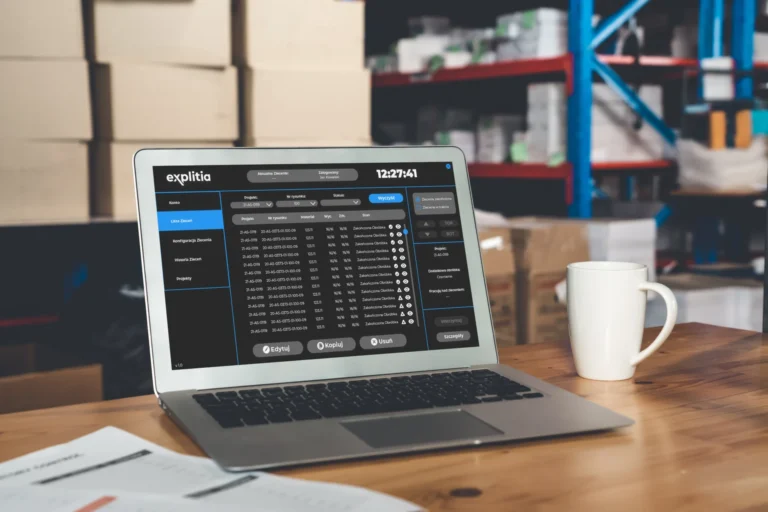
Production order data becomes part of a broader production management system, like Production Portal.
Business Benefits of Implementing explitia.Orders
| Reduced downtime and fewer production disruptions |
| Lower risk of overproduction and material waste |
| Clear order planning with defined priorities across shifts |
| Faster reaction time between planner and operator |
| Accurate tracking of OK and NOK quantities for improved quality control |
| Consistent data flow between ERP, warehouse, and shop floor |
| Lower operating costs and more predictable financial performance |
Implementation Stages
Define the source of production orders
Configure the process
Integration and launch
Training and operational start
Implementation of the production order module is a structured process that does not disrupt the work of the manufacturing plant. We focus on making production order planning work faster and more clearly without disorganizing your shop floor.
1. Define the Source of Production Orders
Identify whether production orders originate from ERP, another system, or explitia.Orders itself.
2. Configure the Process
Define order structure, roles (planner, technologist, operator), and reporting logic in line with actual production flow
3. Integration and Launch
Connect with ERP, warehouse, and MES if required. Test data flow and launch.
4. Training and Operational Start
Planners manage order planning. Operators execute production orders from the panel from day one.
As a result, the production order becomes a real production management tool. Instead of just a document in the system, you gain a structured way of working.
Take Control of Your Production Orders!
If you are looking for a program for production orders that offers you structured order planning and real-time production control, explitia.Orders is ready to help you improve manufacturing operations.