



Data integration with ERP
You have up-to-date production data exactly where you need it.
ERP can collect the production data you need right away: clear, current, and available at the workplace.
ERP data synchronization with explitia helps you connect ERP with production, so your team can see the right information faster and keep working with confidence. No retyping, no spreadsheets, no asking again about the same status.

Schedule a conversation about ERP integration with explitia!
Talk to us about how ERP data synchronization can improve your production.
What do you gain from synchronizing data from the ERP system?
After implementing the module, your company works with a consistent data flow between ERP, production, warehouse, quality and planning.
You receive:
 Current production data available to the right people
 Less manual work with orders, statuses and reporting
 Fewer errors caused by copying data
 Better control over order execution
 Faster feedback from the shop floor to ERP
 Easier reporting based on production data
The module helps the ERP system work better with production.

When is ERP data integration needed?
Most often when ERP works correctly, but production still uses spreadsheets, notes, printouts or manual reports.
Then data quickly starts to diverge. The planner sees a different status than the shift leader. The warehouse is not sure whether the material has already been consumed. The production manager waits for a report. The operator receives information too late.
Connecting the system with ERP organizes this flow in one place. Data goes where it is needed, and users do not have to check which version of the information is current.
How does ERP data integration work?
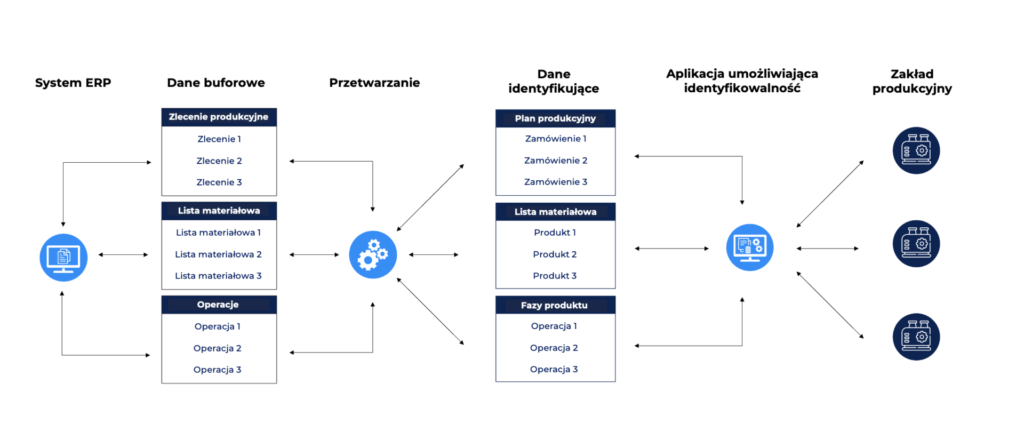
ERP data synchronization makes data from ERP available directly in production work: for orders, operations, materials, statuses and execution reporting.
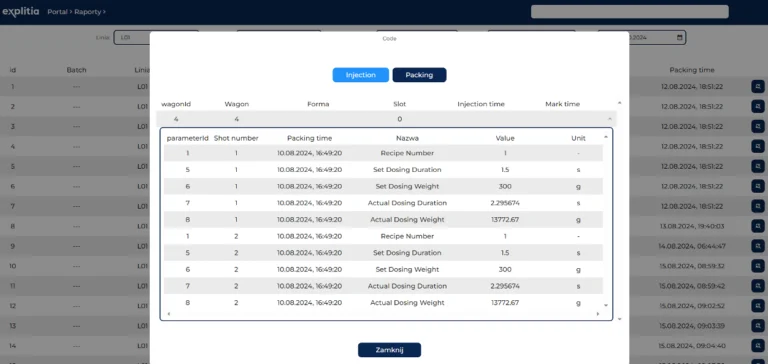
The team sees the information it needs, and production execution data can return to ERP in an agreed way. This applies, for example, to completed quantities, operation statuses, material consumption, shortages, downtime or quality control results.
As a result, production and ERP work on the same information, and people do not have to re-enter data or check several places to confirm one status.
The most commonly synchronized data includes:
- production orders,
- material and product indexes,
- routings, operations and technologies,
- BOM structures,
- planned quantities and dates,
- execution statuses,
- production execution,
- material consumption,
- quality data,
- information about downtime or deviations.
The most important data is the data that shortens work, reduces mistakes and helps teams respond faster.
ERP integration with the production system in everyday work
Good ERP data integration with the production system should be clear to the people who use the data every day.
Operator
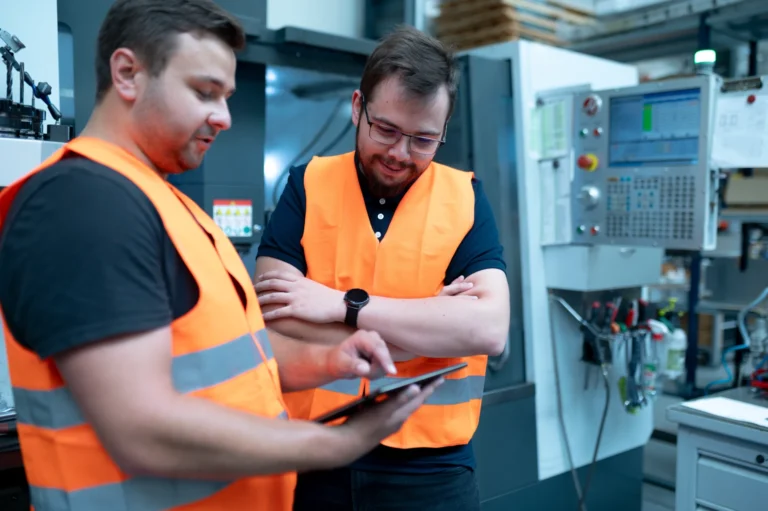
The operator sees the right orders, operations and instructions. They can report execution without rewriting information into several tools.

Shift leader
The shift leader checks work progress, delays and order statuses faster. They have less manual data collection at the end of the shift.

Planner
The planner sees what is happening in production without waiting for a separate report. It is easier to respond to changing priorities, delays or shortages.

Warehouse
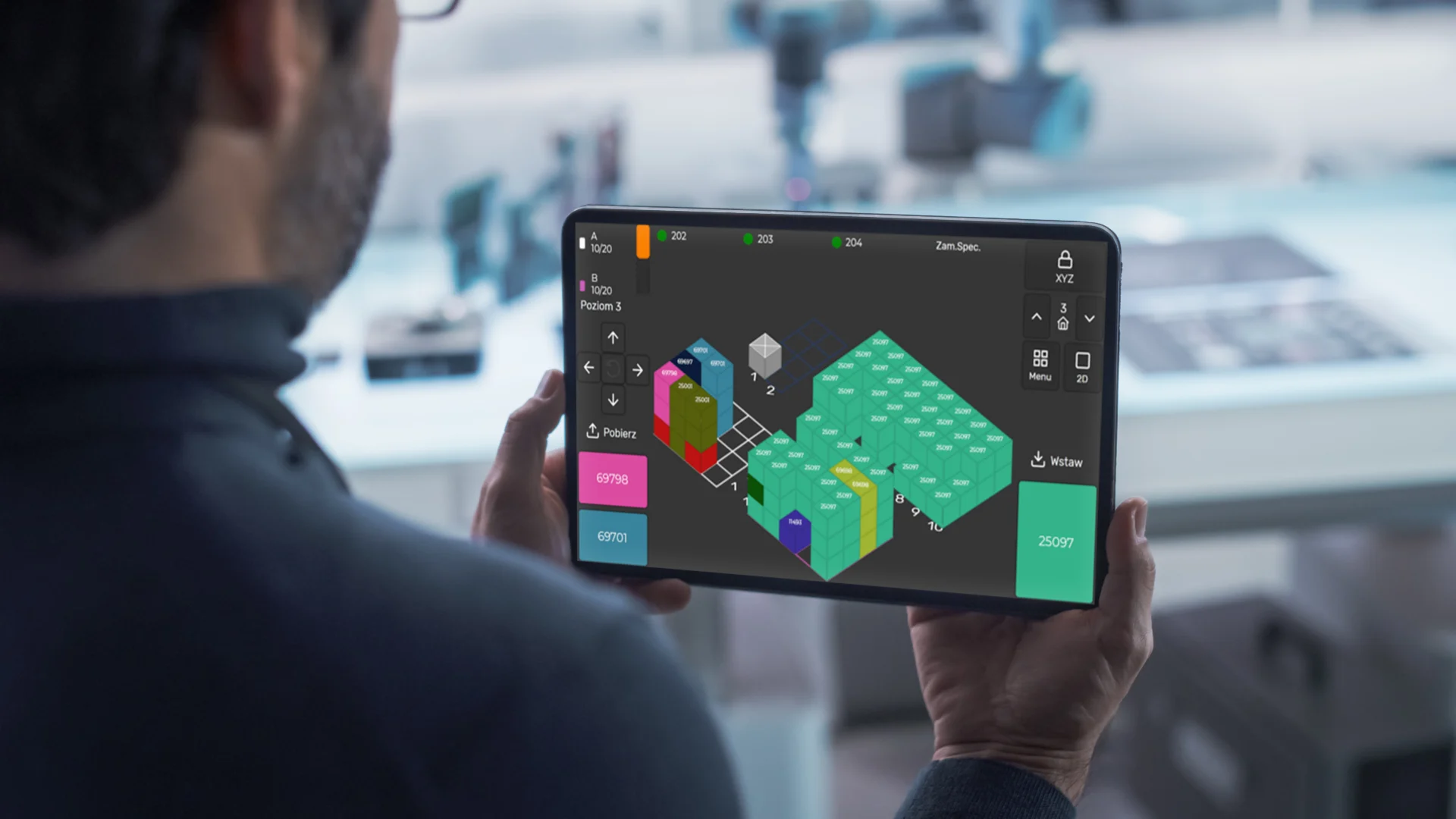
The warehouse works closer to real material consumption and production needs. This reduces mistakes in issues and transfers.

Management
Management receives data that is closer to what is really happening on the shop floor. Decisions are based on specific information, not guesswork.
What data does ERP synchronization support in production?
ERP synchronization helps teams work on the same information in the office, on the shop floor, in the warehouse and in quality. Data is available where the team needs it.
In production, the following can be visible, among others:
- production orders,
- product and material data,
- routings, operations and BOM structures,
- planned quantities and dates,
- order priorities,
- batch or serial numbers.
From production to ERP, the following can return, for example:
- completed quantities,
- operation statuses,
- working time,
- material consumption,
- shortages, downtime and deviations,
- quality control results.
As a result, data supports the plant’s everyday work instead of circulating separately in spreadsheets and manual reports.
Less manual re-entering, more confidence in data
Manual data transfer seems like a minor issue until it starts consuming hours of work and causing errors.
One incorrect quantity, outdated status, missing execution information or wrong material index – each of these situations can delay an order, stop the next operation or force corrections in ERP.
ERP data synchronization reduces these problems. Data is transferred in an agreed way, and the team can focus on work instead of explaining differences between systems.
Where will the solution work best?
ERP data synchronization will work well if:
| Orders are rewritten manually |
| Statuses from the shop floor reach the office with a delay |
| Planning does not see current execution |
| Warehouse and production often explain differences in data |
| Quality needs a better link between results and batches or orders |
| You use ERP, but production still partly works in spreadsheets |

Build a production ecosystem where data supports work.
Talk to us and we will suggest what, in addition to ERP data synchronization, could be useful in your plant.
Business benefits of ERP data synchronization
Well-planned ERP integration with the production system helps the company work faster and more calmly.
You gain:
| Shorter information flow between the shop floor, office and ERP |
| Fewer errors in reporting and production settlement |
| Better control of orders at subsequent stages |
| Faster response to delays, shortages and plan changes |
| More reliable reports |
| Easier cooperation between production, planning, warehouse and quality |
People do not have to search for data and can use it effectively.
What does implementation look like?
We start implementation with the process, not the technology. First, we check how data circulates today and where the team loses the most time.
Then:
We define the data scope
We determine the exchange direction
We design synchronization rules
We connect systems and test scenarios
We launch the module with users
We define the data scope
We choose the information that should pass between ERP and explitia.
We determine the exchange direction
Some data goes from ERP to explitia, and some returns from production to ERP.
We design synchronization rules
We define when data should update and what should happen when there are changes in the plan, order or technology.
We connect systems and test scenarios
We check orders, statuses, execution, plan changes and reporting.
We launch the module with users
We help the team understand where the data comes from and how to use it in everyday work.
Which modules does ERP synchronization connect with?
The module can support other areas and create a consistent data flow in production.

Production execution
Operators work on orders from ERP, and execution can return to the system.
More

Why consider explitia as a partner?
At explitia, we connect ERP data with what happens in production every day. We do not start with technical integration alone, because the most important thing is to check how your team works, where data stops and which information matters most for planning, warehouse, quality and the shop floor.
As a result, ERP data synchronization supports people’s work. The system is meant to help the team see, understand and share data faster.
Let’s check how to connect ERP with production in your company!
If you want ERP and production to work on the same data, let’s start with a short conversation.
We will check which information to synchronize first, what connecting the system with ERP could look like in your company and where it is best to start to quickly relieve the team.