


Monitor and diagnose the system in real time with explitia.Tools
Implementation tools for building, deploying, and growing solutions based on explitia.Platform
They make deployment faster, safer, and easier to plan.
explitia.Platform.Tools is a set of implementation tools that brings order to solution development, supports system rollout, and simplifies ongoing maintenance. Within the Production Platform, it provides practical system implementation support, helping teams run projects in a structured way from the first build stages through updates and post-launch support.
For your production, it means fewer ad hoc decisions, sturdier project consistency, and better control over the full solution lifecycle. As tools for the platform, explitia.Platform. Tools supports implementation quality, system stability, and easier long-term growth.
Discuss how Tools works within the Production Platform
Talk to explitia experts and see how the implementation tools and the wider solution architecture work.
What you gain from implementing Tools
They make deployment faster, safer, and easier to plan.
For your production, you gain:
 A more structured implementation process
 Better project predictability
 Safer updates and maintenance
 A solution that is easier to extend over time
 Lower risk of project and technology errors
 A stronger base for adding new functions and modules
explitia.Platform.Tools is a set of implementation tools that brings order to solution development, supports system rollout, and simplifies ongoing maintenance. Within the Production Platform, it provides practical system implementation support, helping teams run projects in a structured way from the first build stages through updates and post-launch support.

The role of the Tools layer in the Production Platform
Tools support the build and maintenance of solutions based on the Production Platform. As a set of implementation tools, it helps teams work according to clear rules, shortens preparation time, and makes it easier to keep projects consistent. It also strengthens system implementation support during deployment and further development.
Speed matters, but repeatability is just as important. When a project is built on ready-made patterns, you gain better control over the solution structure, reduce the risk of errors, and create a simpler path for future expansion. At the same time, these tools for the platform support monitoring, diagnostics, and updates help keep the system in good condition after launch.
Business benefits of using Tools
The tools layer helps you organize the project and reduce risks that often appear during the development of production systems. As a set of implementation tools, proven tools for the platform, and a source of system implementation support, it gives you a stronger base for building and maintaining solutions that need to stay stable and grow along with the organization.
The main benefits include:
| Faster deployments |
| Better project predictability |
| Lower risk of errors |
| Easier post-deployment maintenance |
| Safer updates |
| Greater overall solution stability |
| A stronger base for future expansion stages |
For your operations, it means a calmer implementation process, better control over changes, and a lower risk that system growth becomes harder to manage as new areas are added.
The main areas of explitia.Platform.Tools

Wizard – a structured way to build a solution from day one
Wizard is one of the core implementation tools within the platform, supporting project creation in a consistent, repeatable way. It helps teams prepare the solution structure faster, work with ready-made patterns, and reduce errors from the start.
What you get:
- faster solution creation
- better project standardization
- lower risk of errors
- easier development in later stages
- greater consistency across implementations
Wizard organizes the project structure and speeds up deployment preparation. Instead of starting each project from scratch, the team works with ready-made templates, a defined architecture, and repeatable elements that make further work easier. As one of the practical tools for the platform, it supports a structured implementation approach from day one.
As a result, the project moves forward faster, follows a more predictable structure, and is easier to maintain after launch. When later stages are built on an ordered foundation, planning further growth becomes easier and the risk of costly fixes becomes lower.

Sentinel – control over deployment, updates, and maintenance
Sentinel is a tool that supports deployment, monitoring, diagnostics, and safe system changes. As part of the wider set of implementation tools, it helps teams keep visibility over how the solution is running and respond swiftly when issues appear or updates are needed. It also expands system implementation support after launch.
What you get:
- stronger control over installation and updates
- system activity monitoring
- easier diagnostics
- greater safety of changes
- more predictable system maintenance
- better stability after launch
Sentinel supports log handling, resource monitoring, service control, and change management. Teams can spot irregularities sooner, check their source more efficiently, and carry out updates with greater confidence. Among the available tools for the platform, it plays an important role in keeping operations stable and easier to manage.
The result is a lower risk of downtime, better control over system conditions, and easier maintenance after deployment. It matters most where the system is expected to run continuously, and every change needs proper preparation.
How Tools works across the full solution lifecycle
Wizard helps build the solution faster and with greater consistency
The project is prepared according to an ordered structure
The platform is deployed in a controlled way
Sentinel supports launch, updates, and maintenance
The full lifecycle of the solution becomes easier to plan
Such a structure brings more order not only during the build stage, but also later, when the system needs to be extended, updated, and kept in good condition. With the right implementation tools in place, the whole lifecycle becomes easier to manage and scale.

Talk through real examples of how the Tools layer is used!
See how Tools supports the Production Platform during implementation and how it can work in your production environment.
How Tools connects with other areas of the Production Platform?
Tools work in the background, yet they have a major influence on the quality of the whole system. As a layer of implementation tools, it supports building work, brings order to deploy, and helps maintain every area of the platform.



How Production Platform Tools can support your sales process?
Structured implementation tools help you plan work more clearly, prepare launches more efficiently, and communicate the scope and course of deployment with greater confidence. Sales, coordination, and project teams can base conversations with end customers on clearer assumptions around delivery stages, maintenance, and future system growth. In this way, Tools also provide useful system implementation support for customer-facing teams.
As a result, you can gain:
- better project predictability from the commercial stage onward
- greater confidence in conversations about timelines, changes, and next phases
- better organizational readiness for implementation and maintenance
- lower risk of misunderstandings between sales, deployment, and support
- easier planning for future solution growth
Tools support not only system build and maintenance, but also the quality of the sales process itself. It helps teams lead conversations around a structured delivery model, which strengthens credibility and supports decision-making on the customer side. As tools for the platform, these components also make the implementation model easier to present and easier to understand.
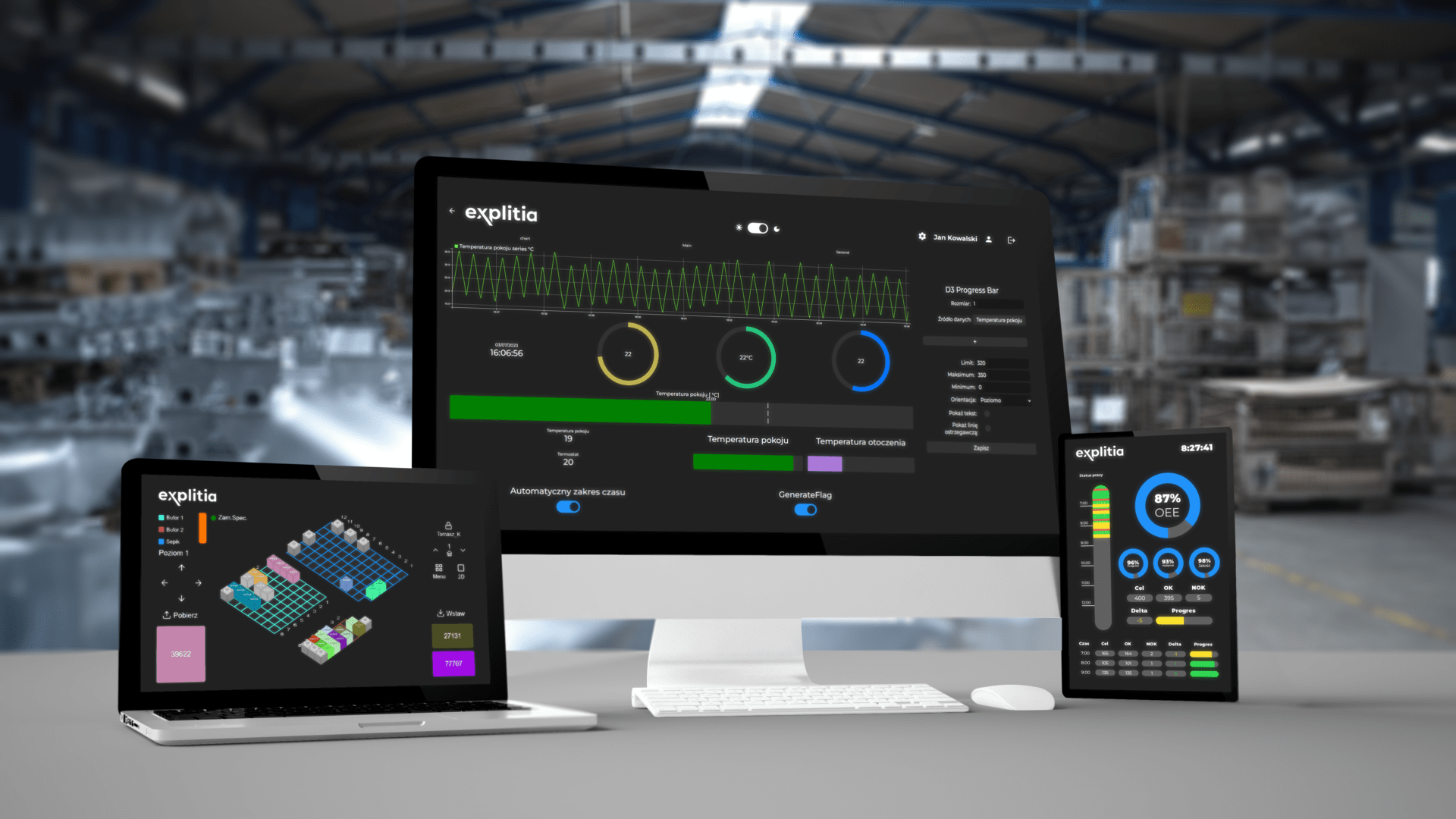
Learn more about the explitia.Platform solution
Check out the full platform: explitia.Platform
See the backend layer: explitia.Platform.Engine
Check the user layer: explitia.Platform.Presentation
See how the Tools layer supports the build and deployment of solutions based on the Production Platform.