



Improve communication with maintenance with explitia.CMMS software
CMMS Software That Brings Structure to Downtime, Accountability and Maintenance Planning
Are you looking for cmms software that deals with too many phone calls, scattered spreadsheets and missing downtime data?
explitia.CMMS is a maintenance cmms software built specifically for manufacturing plants where every minute of downtime has measurable financial impact.
It connects failure reporting, work order management, preventive maintenance scheduling, asset history, downtime tracking, maintenance KPIs – all in one integrated maintenance management system.
If you run a production plant and need structured control over maintenance, you can start there.
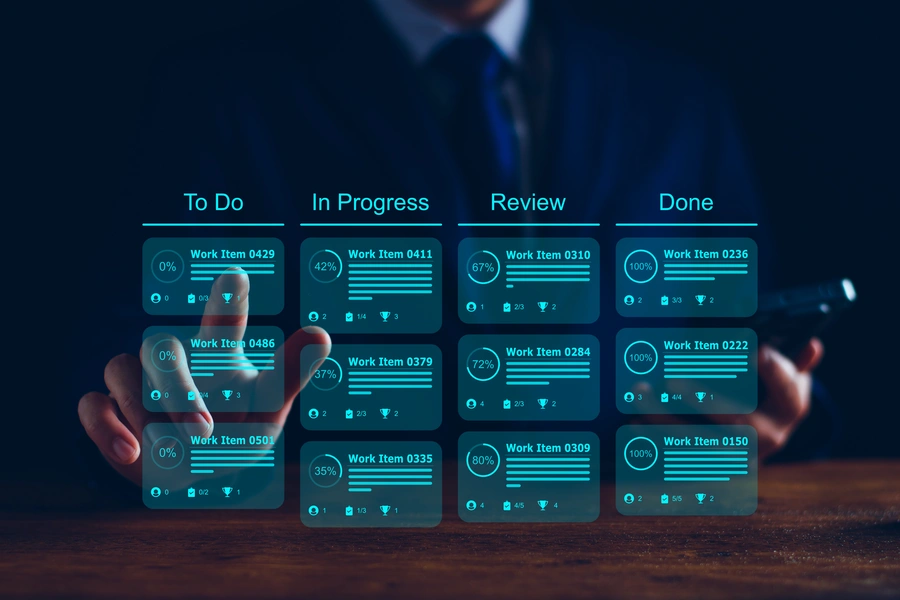
Bring structure to maintenance in your plant!
See how explitia.CMMS helps you record failures, plan preventive maintenance and analyze maintenance data in one place. Contact us and find out how it can work in your plant.
What does a maintenance management system give you as a user?
If you are looking for CMMS software that structures the entire maintenance process from failure reporting to data analysis, explitia.CMMS gives you one source of information about failures, maintenance tasks and asset history.
From your plant’s perspective, you get:
 One source of information about all failures and maintenance tasks
 Accurate measurement of repair time and recurring failures
 Formal responsibility split between maintenance and production
 Preventive maintenance and inspection scheduling
 Full asset and intervention history
 Audit readiness without paper or Excel
 Scalable CMMS system with no limits on users or tickets
explitia.CMMS is a tool that lets you record tickets and organize the maintenance process at every stage, starting from the moment a report is submitted and ending with data analysis.

What is CMMS software?
CMMS software (Computerized Maintenance Management System) is a digital system used to manage maintenance operations, assets and work orders inside a manufacturing company.
It replaces fragmented tools such as:
- Excel spreadsheets
- paper maintenance logs
- unstructured phone reporting
- disconnected ERP maintenance modules
Maintenance cmms software centralizes:
- asset management
- preventive maintenance
- corrective maintenance
- downtime tracking
- technician accountability
Unlike generic ERP add-ons, dedicated cmms software solutions focus specifically on plant maintenance, response time and operational downtime.
For manufacturing companies, this difference matters.
Why does CMMS software work well in manufacturing plants?
The most common problems you can solve with explitia.CMMS are:
| The operator reports a failure by phone – no history is recorded. |
| No one knows how long the repair lasted and how long production restart took. |
| Inspections are done “because they have to be”, without control or adjustment to actual needs. |
| Conflict: production vs maintenance. |
| No hard data for investment decisions. |
| Difficulties during audits. |
Maintenance software should organize these areas. A CMMS system does it in a simple and transparent way.
Core Modules of explitia.CMMS
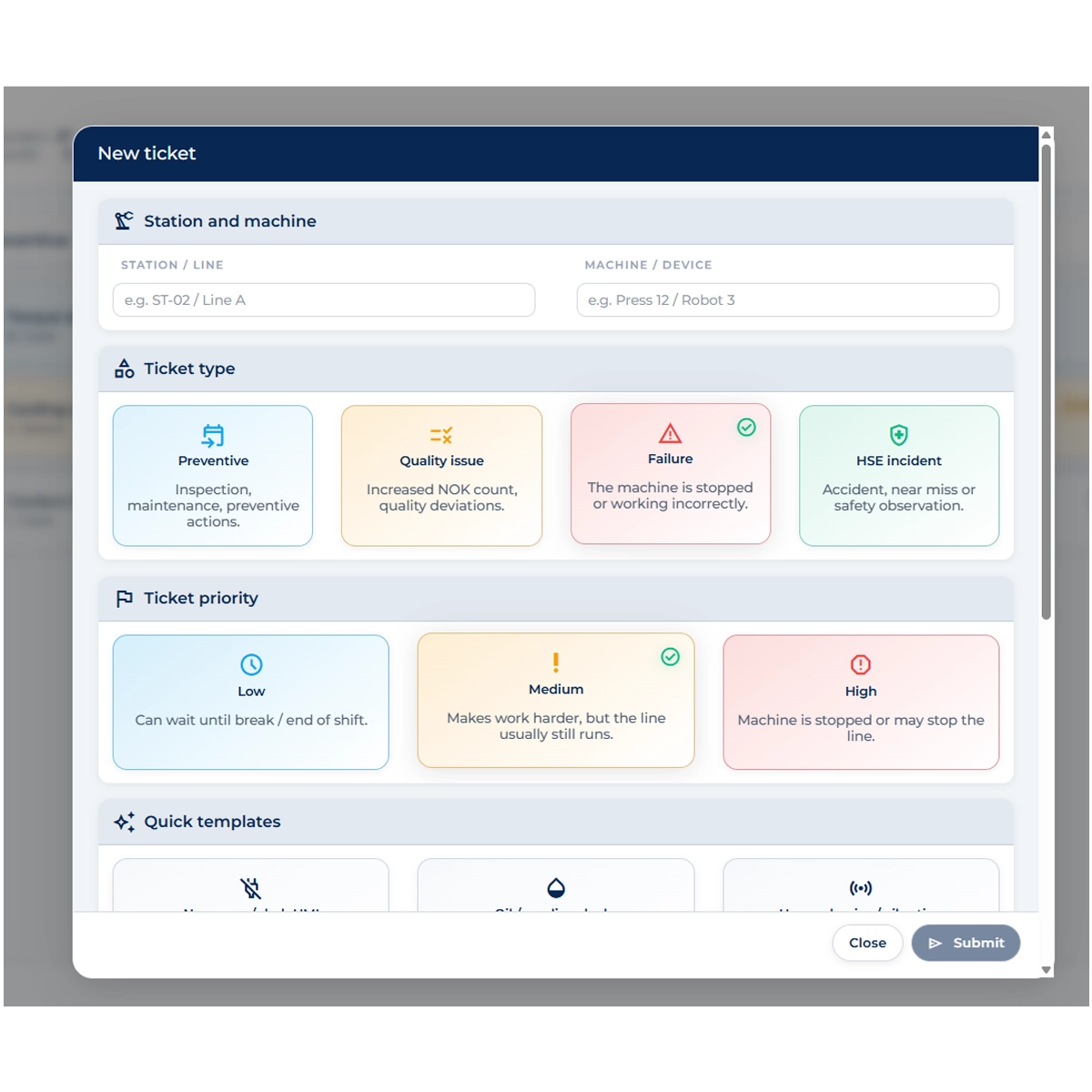

Failure and event reporting – the end of phone calls and paper notes
At the core of the solution is structured reporting:
- manually through a panel or tablet,
- through a QR code assigned to the machine,
- automatically – after integration with OEE.
Each report includes: machine and location, event type (failure, preventive, HSE, remark), priority, exact occurrence time, description and attachments (photos, documents), and status.
Thanks to this, every failure enters the system and is handled according to clearly defined rules.

Repair time logging and clear responsibility split
This is one of the strongest capabilities delivered by CMMS maintenance software.
The system records:
- failure occurrence time,
- repair start,
- repair completion,
- production restart.
As a result, you know exactly how long the repair lasted, you can separate technical downtime from operational downtime, and you eliminate disputes between departments.
The data automatically feeds MTTR and MTBF based on real events, allowing you to move away from estimates that may not be reliable enough.
Preventive maintenance and recurring task planning
A CMMS system is not only about reacting to failures.
CMMS software enables:
- time-based scheduling,
- usage-based scheduling,
- building and infrastructure checks,
- administrative tasks (for example external services) and recurring inspections.
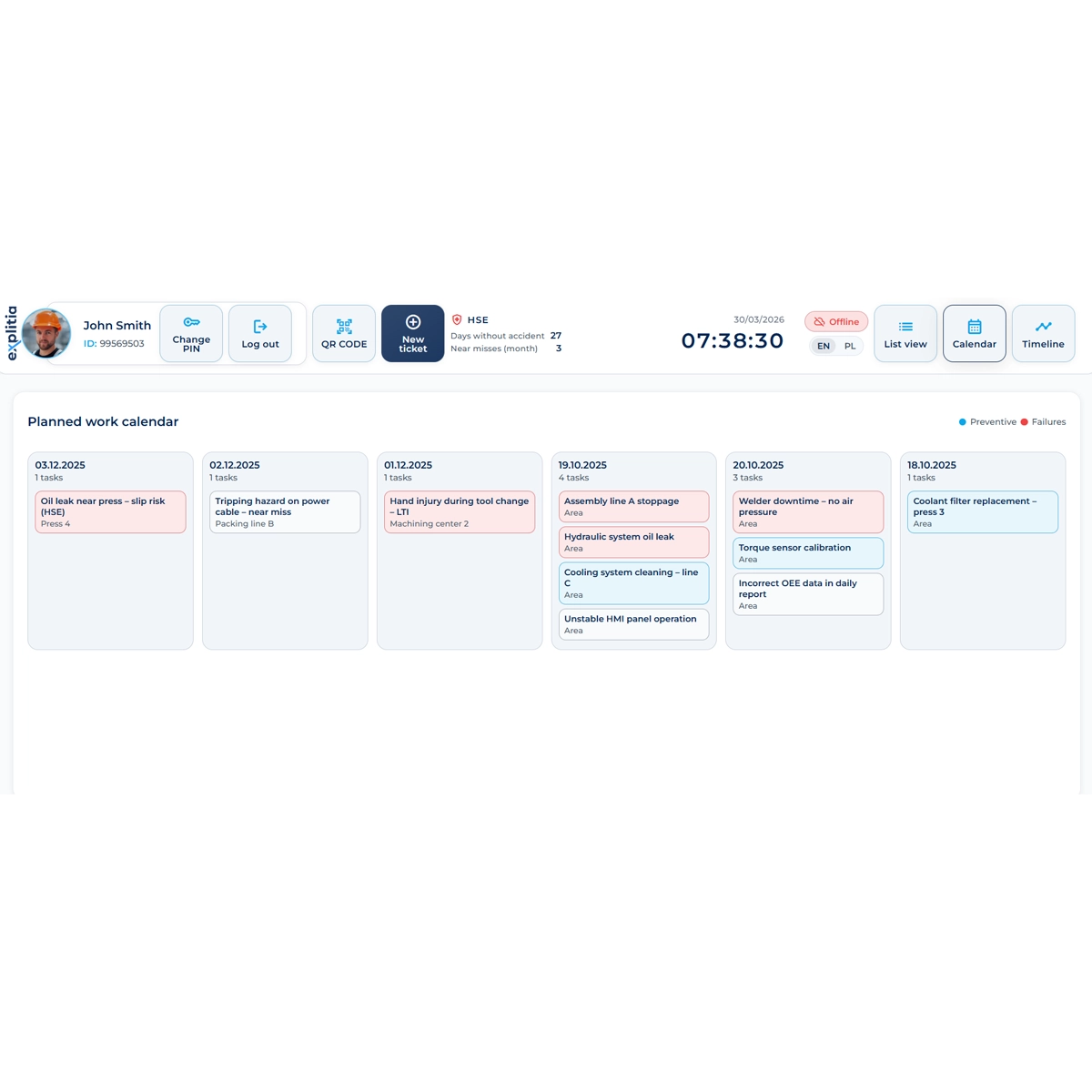
You get a calendar view, task list and machine timeline. This makes maintenance less reactive and more controlled.
Step-by-step checklists
Each task can include a checklist of steps to complete:
- standard repair procedures,
- control points,
- HSE steps (for example lockout/tagout).
This is maintenance software that standardizes how work is carried out regardless of shift or technician experience.
Result: repeatable quality, faster onboarding of new employees and lower risk of mistakes.
Asset history and recurring failure analysis
Each machine has its own asset card containing elements such as:
- failure history,
- completed preventive actions,
- HSE reports,
- previous interventions.
You can quickly verify whether a given issue appears cyclically and whether the problem is caused by one of the components. This CMMS software gives you data for decisions: modernize or replace.

HSE and incidents in one system
The CMMS system also allows you to report:
- safety-related events,
- near misses,
- unsafe conditions,
- environmental incidents.
A days-without-accident counter and event reporting are also possible. Production, maintenance and HSE teams can then work from one shared data source.
Views that make daily work easier
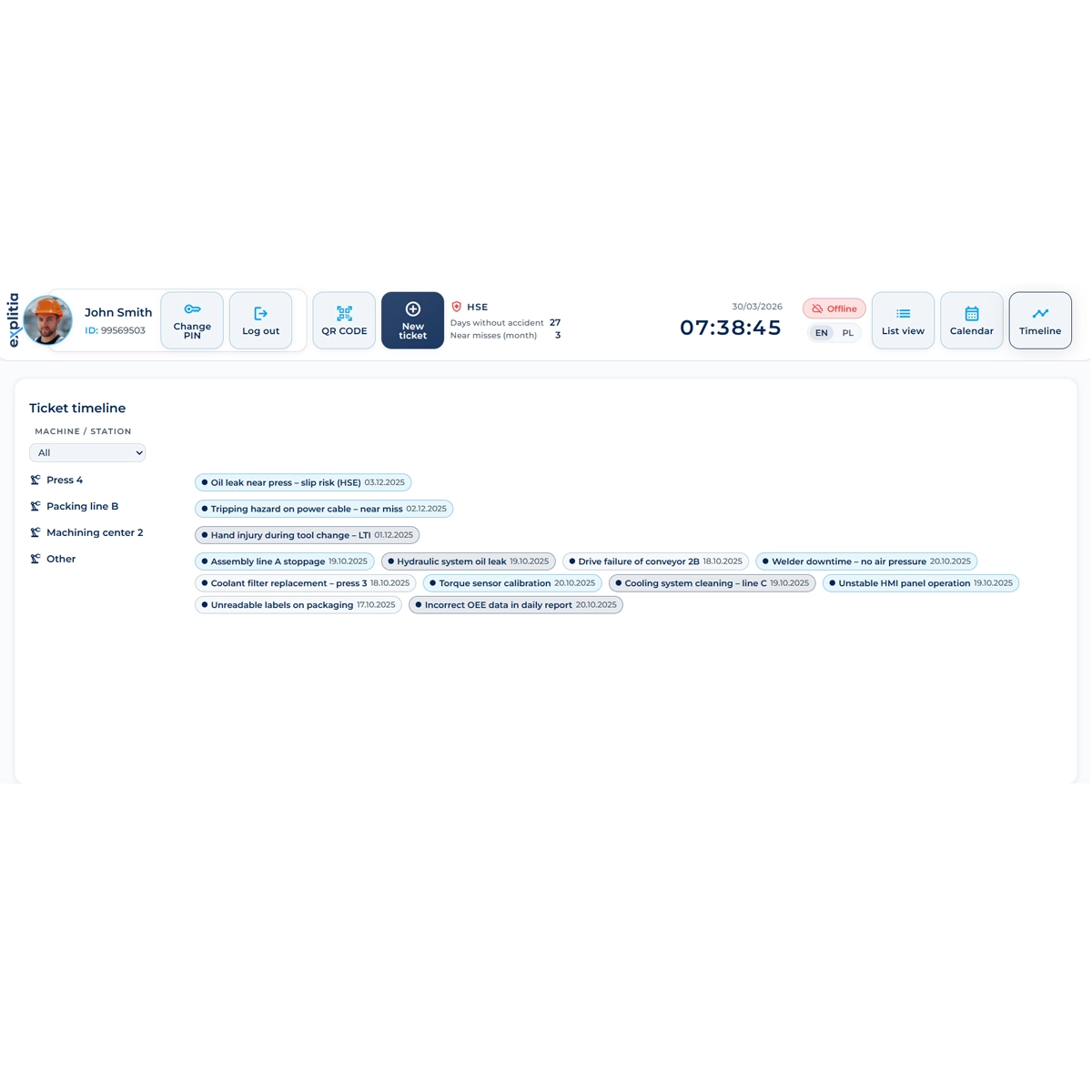
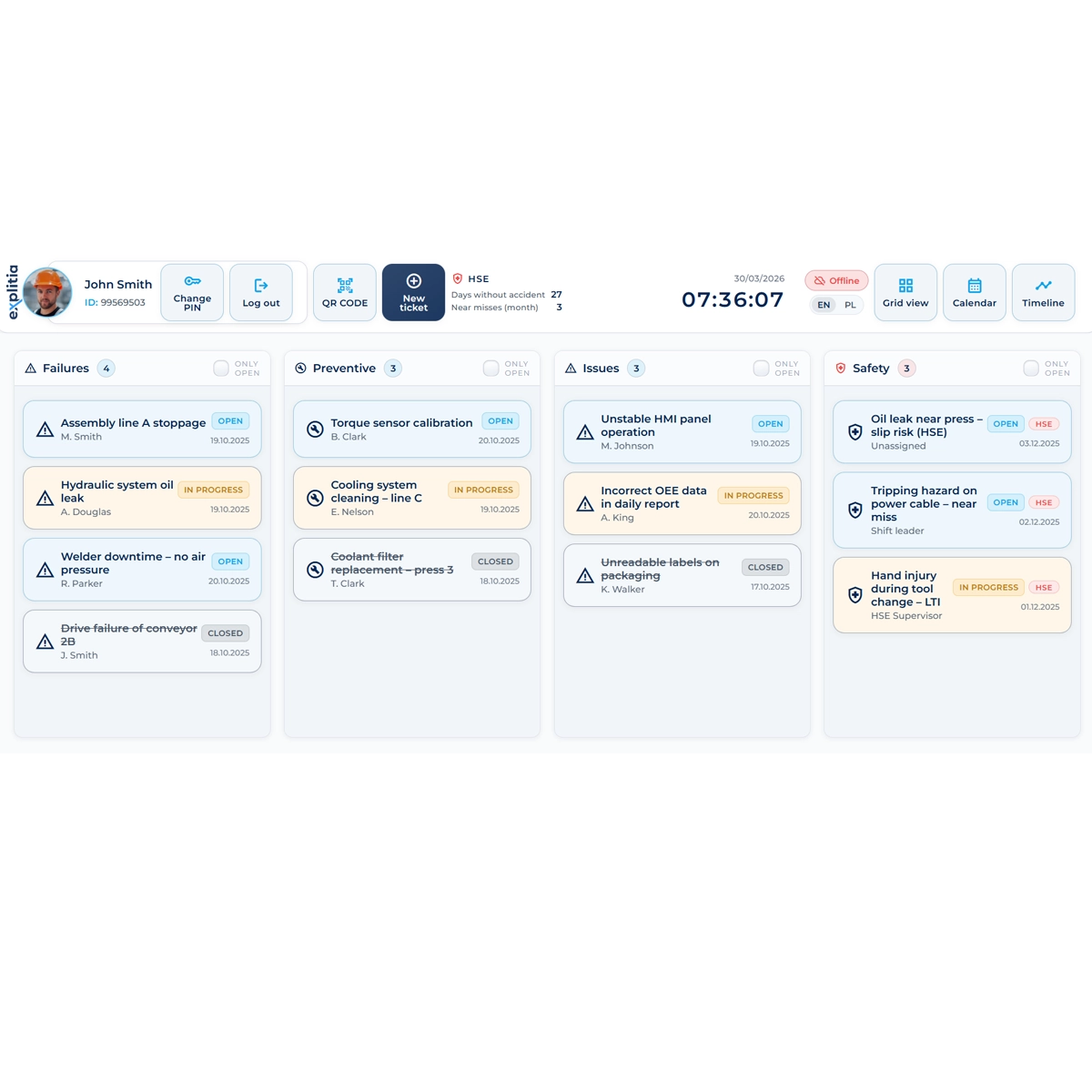
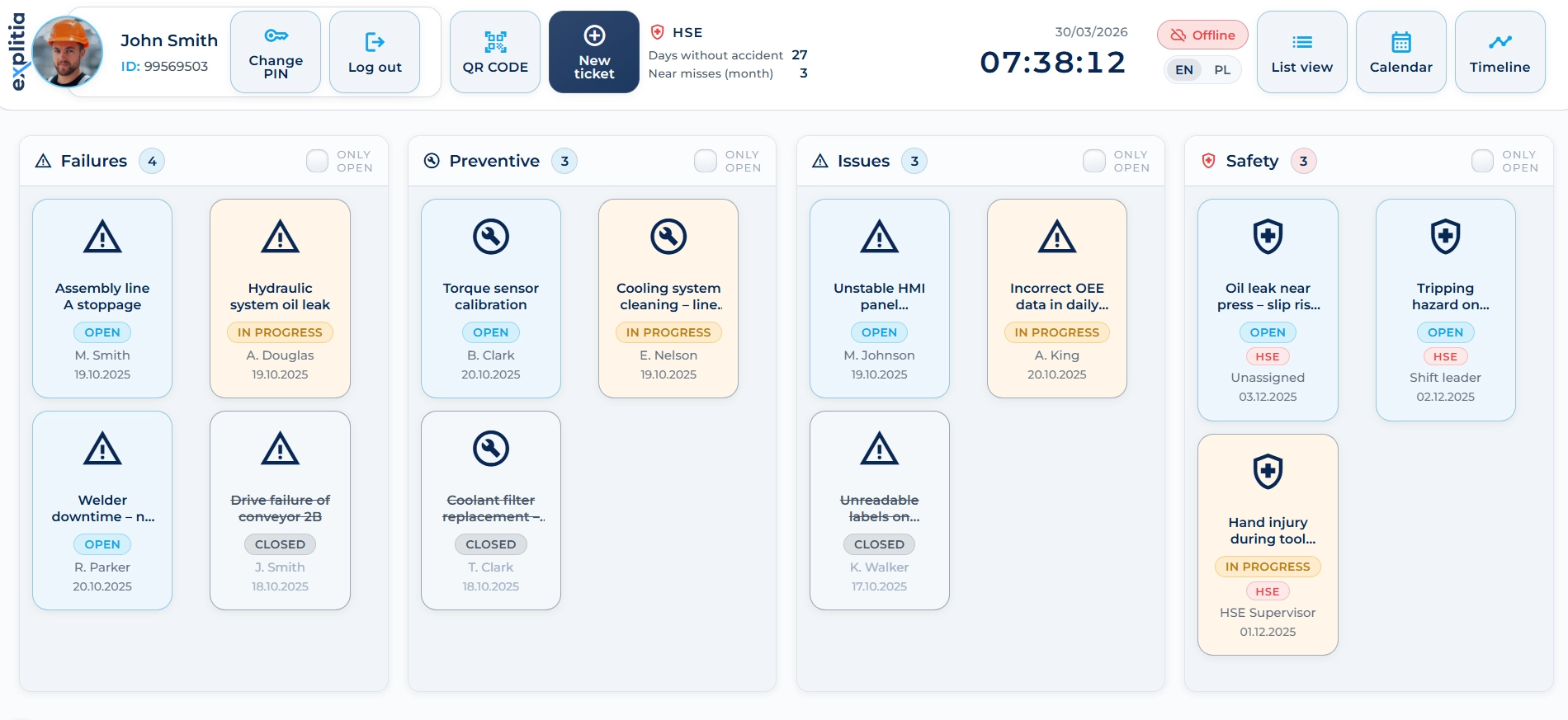
explitia.CMMS offers several work modes:
- tile view – quick overview of open and closed tickets,
- list view – filtering by status, machine and responsible person,
- calendar view – team workload planning,
- timeline view – full event history for a machine.
Each user sees what is most relevant to their role.

Turn failures and tickets into a structured process!
explitia.CMMS not only records failures, but also helps measure maintenance performance and build a complete machine history. Write to us and see how much it can bring to your plant.
CMMS Software vs Excel vs ERP Maintenance Modules
Many plants delay implementation because they believe current tools are good enough. Here is what usually happens:
Excel-Based Maintenance
- No real-time data
- No automatic MTTR / MTBF calculation
- No accountability tracking
- Manual updates
- Audit stress
ERP Maintenance Module
- Built for financial control, not shop floor speed
- Limited downtime tracking
- Weak preventive planning logic
Dedicated CMMS Software
- Real-time work order management
- Machine-level downtime tracking
- Preventive scheduling based on time or cycles
- Full intervention history
- Clear responsibility split between production and maintenance
For plants with more than a few machines, dedicated maintenance cmms software can be operationally necessary.
Business Impact of CMMS Software
Implementing maintenance cmms software translates into:
| Reduced downtime | Structured reporting shortens reaction time. |
| Lower maintenance costs | Planned preventive actions reduce emergency interventions. |
| Reliable KPIs | MTTR and MTBF based on actual operational data. |
| Clear responsibility structure | Formal split between production and maintenance teams. |
| Faster repairs | With asset history and comments, repairs can be completed faster. |
| Audit readiness | Complete digital traceability without manual paperwork. |
| Higher operator engagement | QR-based reporting increases early detection of issues. |
Architecture and Scalability
The system operates in a web browser and supports:
- unlimited users
- unlimited machines
- unlimited tickets
- unlimited attachments
You can start with one production line and expand across the entire facility.
This makes explitia.CMMS suitable for both growing manufacturers and large industrial plants.
How does CMMS software fit into the entire production process?
CMMS software does not operate in isolation from other areas.
It can integrate with:



Thanks to this, you build one consistent production ecosystem instead of a collection of separate applications.
Who Is explitia.CMMS Designed For?
This CMMS system can be especially useful for plants that:
- have more than a few machines,
- want to structure the maintenance process,
- need reliable data for management,
- plan further production digitalization.
It works well both in large factories and in mid-sized manufacturing companies that want to move away from paper and Excel.
This cmms software delivers the strongest results in manufacturing environments such as:
Food and Beverage Manufacturing
High hygiene requirements, audit pressure and strict preventive schedules.
Automotive and Component Plants
High machine utilization means downtime costs can be measured in thousands per hour.
Heavy Industry and Metal Processing
Large asset base, complex failure chains, high maintenance load.
Mid-Sized Manufacturing Companies
Growing operations that outgrew Excel but do not need oversized enterprise EAM systems.
If downtime directly impacts your delivery performance, this system fits your structure.
Implementation Process
Workshop and Process Mapping
System Configuration
Pilot Deployment
Full Plant Go-Live
Deployment is structured and does not interrupt production.
Workshop and process mapping
Definition of reporting flow, responsibilities and preventive schedules.
System configuration
Machine structure, roles, statuses and recurring tasks setup.
Pilot deployment
Rollout in selected production area with adjustments.
Full plant go-live
Team training and expansion across the organization.
Typical implementation timeline depends on plant size, but phased deployment allows controlled scaling.
See what structured maintenance could look like in your plant
If you want to:
- reduce downtime,
- end responsibility disputes,
- introduce structured preventive maintenance,
- measure maintenance performance with real KPIs,
schedule a workshop with our team. We will show you how cmms software solutions like explitia.CMMS can be implemented step by step, without stopping production.